Merge PDFs with Different Page Sizes: Preserve and Review the Differences
A merged file can legitimately contain portrait, landscape and differently sized pages. Review the intended reading and printing experience instead of assuming every page should be forced into one shape.
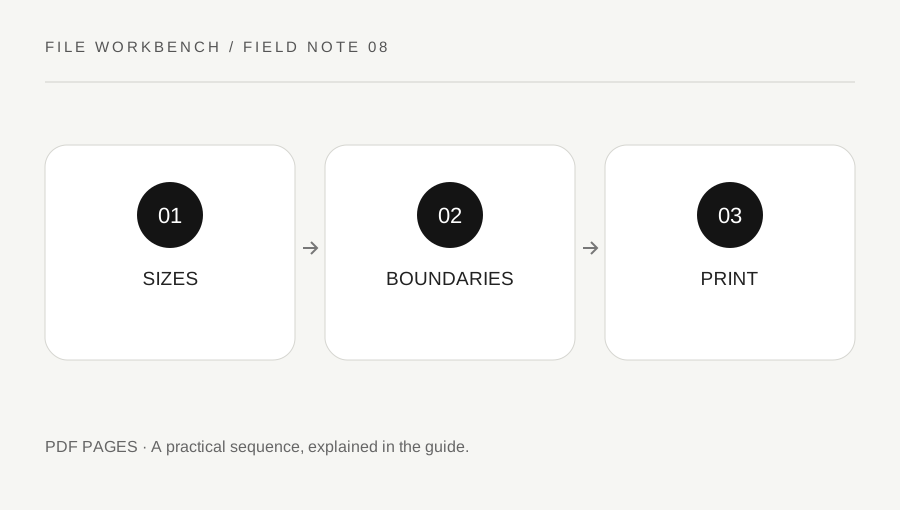
Original explanatory diagram. Numerical examples in this guide illustrate the reasoning; they are not a claim of hands-on testing.
Inspect each source before assembly
Open the files and note pages that differ in size or orientation. A wide table, a presentation slide and a portrait form may all belong in the same packet. Decide whether their original dimensions are part of the purpose or simply an artifact of different exports. Keep the source files unchanged while you assess the final requirements.
The merge operation assembles pages; it does not normalize every page to a chosen paper size. If exact dimensions matter, inspect the source and output with an appropriate viewer or authoring tool. Do not rely on how large a page looks when a viewer automatically fits it to the window. Two pages can appear similar on screen while having different physical dimensions.
Separate screen reading from paper output
For on-screen reading, a wide landscape page may be useful and should not be rotated solely to match nearby portrait pages. For printing, the available stock, scaling and orientation controls matter. A recipient may prefer separate files for different paper requirements. Ask about that before creating a packet intended for a specific printing process.
Avoid using a page rotation as a substitute for resizing or reformatting. Rotation changes orientation, not the original layout’s physical scale. Likewise, printing to another PDF with a fit setting may create a different document and affect other features. If uniform pages are truly required, use a suitable authoring workflow and inspect the resulting content for clipping and unreadable detail.
Work through a report-and-slide example
Imagine a packet with a portrait cover, a five-page report and two landscape slides. Merge them in the intended order and expect eight pages. At each source boundary, check that the page content is complete and the slides remain readable. A thumbnail strip can reveal orientation changes quickly, while full-page inspection catches clipping or tiny labels.
If the packet will be printed on one stock size, inspect print preview and try one representative portrait page and one landscape page. Confirm scaling against the task. A reading copy may tolerate fitting, while a measured template may not. These examples show a review process, not a universal print setting. The right choice follows the document’s purpose and the recipient’s requirements.
Label intentional exceptions and retain sources
If a different page size is intentional, mention it to the person who will print or review the file. A brief note can prevent them from treating a correct wide table as an error. Keep the source versions available in case a different output arrangement is requested. Merging does not guarantee reduced file size or preservation of every interactive and structural feature.
When a recipient needs accessibility, signatures, forms or archival properties, verify those separately through an appropriate process. A clean screen view alone is not enough. The finished packet should have a clear order, complete content and an understood handling plan for its differing pages. That is more useful than making the thumbnails visually uniform while losing the detail readers need.
Check automatic viewer zoom before judging readability
Move between pages at a consistent reading scale as well as using fit-to-window. Automatic zoom can make a small page appear huge and a wide slide appear tiny, exaggerating or hiding practical differences. Inspect labels at their intended use size and note any page that requires a separate view. Do not enlarge a low-detail source and mistake the larger display for restored clarity. If a slide’s small text cannot serve the recipient, request a better source export rather than expecting the merge operation to reconstruct missing detail.
A practical checklist
Tick items for your own use. This checklist is saved only in this browser.
Questions that come up
Does merge make every page the same size?
No. It assembles the source pages. Use an appropriate authoring workflow if uniform dimensions are a genuine requirement.
Should every landscape page be rotated?
No. A wide table or slide may already be correctly oriented. Judge it by the intended reading and printing task.
Can fit-to-window hide size differences?
Yes. Compare actual dimensions with an appropriate viewer when physical size matters.
References & scope
Background references checked on 18 October 2026. The examples and practice exercises are original editorial explanations, not copied procedures or professional advice.