A Scanned PDF Is Too Large: Choose the Right Kind of Reduction
A scan-heavy PDF can contain large page images even when it has few pages. Identify the destination requirement and preserve legibility before choosing a reduction workflow.
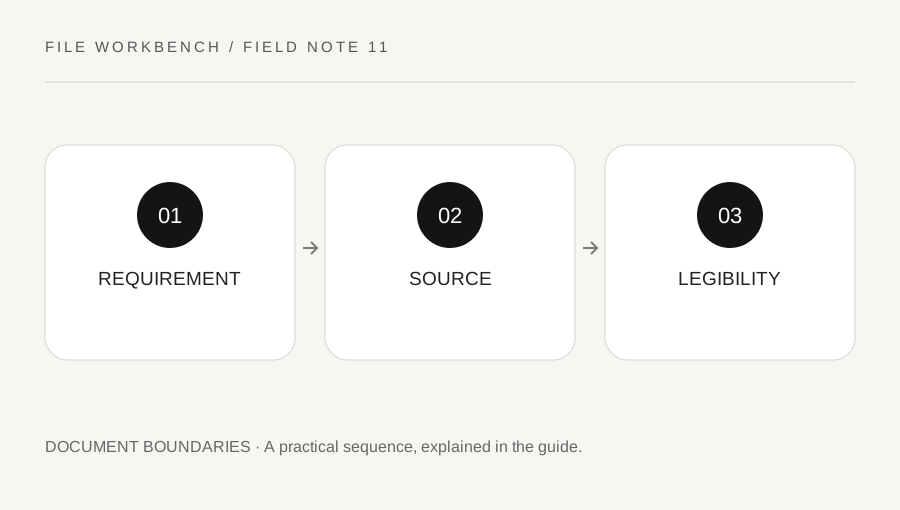
Original explanatory diagram. Numerical examples in this guide illustrate the reasoning; they are not a claim of hands-on testing.
Record the actual upload limit
Write down the permitted file type, maximum bytes and any page or document requirements. A form may accept several attachments or require one complete file. Do not discard pages solely to meet a size limit unless the recipient allows that selection. An incomplete packet can be small enough to upload and still fail its purpose.
Keep the original scan or PDF unchanged. Inspect whether all pages are needed and whether blank pages or accidental duplicates are present. Removing genuinely unnecessary material through an authorized excerpt can reduce the packet, but that is a content decision rather than general compression. This workbench does not promise PDF optimization or a target output size.
Distinguish page assembly from image optimization
Merging PDFs copies their page content into a new document; it is not a guarantee that embedded scan images become smaller. A separate PDF optimization or scanning workflow can adjust image handling, but its settings must suit the document. Adobe’s scan guidance describes options for scan quality and compression, which are different from simply rearranging pages.
If you can rescan an authorized original, choose settings appropriate to the recipient and inspect a sample first. If you cannot, use a trusted approved optimization tool and compare the saved output. Do not repeatedly print and rescan merely to chase a byte count, because that can degrade detail and complicate the record. Keep signatures, accessibility and official submission requirements in view.
Use a readable-detail example
Imagine a six-page scan that exceeds an application’s attachment limit. The pages contain small numbers and a faint stamp. A reduced copy that meets the limit but makes those details unreadable is not a successful result. Compare the original and output at the intended reading scale and inspect every page, not only a thumbnail of the first one.
If the recipient permits separate files, that may be a better route than excessive reduction. If only selected pages are required, an authorized excerpt can be appropriate. If the complete readable record is mandatory and the limit still cannot be met, ask the recipient about an alternative submission method. These choices follow the actual requirement rather than a universal smallest-file rule.
Check the output and avoid false precision
Read the actual saved file size and try the approved upload after reviewing content. A quality setting or compression label does not guarantee a particular byte count for every source. File content, image detail and encoding affect the result. Keep a note of the accepted version so you do not accidentally send an earlier oversized or less-readable copy.
The browser workbench has memory and page limits and may reject a scan-heavy source even when its page count looks modest. A permitted file can still fail on a particular device. Use a suitable approved local workflow for large or sensitive material rather than repeatedly submitting an unresponsive tab. A good outcome is a complete, legible file that meets the actual destination rules.
Review text recognition as its own feature
A scan can be visually legible while lacking searchable text, and a text-recognition step can introduce errors even when it improves navigation. The workbench does not perform OCR. If the recipient needs searchable content, use an appropriate OCR workflow and check important names, dates and numbers against the image. Do not assume that a smaller optimized PDF or a file with selectable text is automatically accurate. Keep the original scan as a reference and label any derived version according to the process you are required to follow.
A practical checklist
Tick items for your own use. This checklist is saved only in this browser.
Questions that come up
Will merging my scans make the PDF smaller?
Not necessarily. This tool assembles pages and does not promise image optimization or a target byte size.
Can I delete pages just to meet an upload limit?
Only when the recipient allows the resulting selection. Size compliance does not replace completeness requirements.
Does this tool recognize text in scans?
No. OCR is outside its scope, and any separate OCR result should be checked against the source.
References & scope
Background references checked on 18 October 2026. The examples and practice exercises are original editorial explanations, not copied procedures or professional advice.